How to Choose the Right WhatsApp Business API Platforms for Native Payments
Your WhatsApp checkout link sends buyers to a browser, and they leave. Payment friction at that exact moment costs merchants orders they already earned, which is why native, in-chat payments have become a deciding factor when picking a WhatsApp Business API platform.
This article explains what native payments actually mean, how to weigh Meta Business Partner status, payment methods, security, and integration depth, and how to read pricing beyond headline fees. You will finish with a checklist of questions to ask before committing, plus a look at how Com.bot handles native payments.
What "Native Payments" Means in the WhatsApp Business API Context
Native payments in the WhatsApp Business API context refer to the ability to complete a transaction entirely within a WhatsApp chat without redirecting to an external browser or app. The payment runs through Meta's payment infrastructure and supported payment service providers, so the customer never leaves the conversation.
This differs from traditional methods, where a business sends a payment link that opens an external checkout page. Native payments instead support a true in-app checkout, cutting friction and lifting conversion rates.
It is a core part of the broader shift toward conversational commerce, where browsing, questions, and payment all happen in one thread.
Native Payments vs. Third-Party Payment Links and Gateways
Third-party payment links and gateways require customers to leave the chat, often leading to drop-offs, while native payments keep the entire transaction within WhatsApp. That single difference shapes how each option performs at checkout.
With a payment link, the customer taps through to a browser, waits for the page to load, and may see security warnings or a login prompt. Each added step is a chance to abandon. A native flow replaces all of that with a one-tap checkout inside the thread.
Consider a shopper browsing a product catalog in WhatsApp. With native payments, they confirm the order and pay on the spot. With a payment link, a new tab opens, and the conversation context is lost.
Native payments can also connect to local methods such as UPI in India and PIX in Brazil, while third-party gateways may offer limited support for those rails. In-chat checkout can help reduce cart abandonment, though results vary by market and catalog type.
Practical guidance for platform selection:
- Check whether native payments are live in your target regions before committing to a provider.
- Confirm which local payment methods the platform supports, such as UPI or PIX.
- Review transaction fees, settlement time, and refund handling for each option.
- Ask how the platform manages chargeback handling and recurring payments.
Where native payments are available, treat them as the default and keep payment links as a fallback for regions or methods that are not yet covered.
Why In-Chat Checkout Reduces Cart Abandonment and Builds Trust
In-chat checkout minimizes distractions and steps, directly addressing the top reasons for cart abandonment: unexpected costs, forced account creation, and lack of trust. Keeping the buyer in a familiar environment removes much of that hesitation.
WhatsApp is an app customers already use daily, and the business appears through a verified profile. That familiarity lowers anxiety. Native payments often include end-to-end encryption for payment details, and platforms should support PCI DSS compliance so card data is handled correctly.
Context switching is a quiet killer of conversion. When a buyer leaves the chat, they may get distracted, lose the thread, or question whether the new page is safe. Cart abandonment rates can improve when payment happens in chat, though the exact gain depends on the audience and product.
Actionable steps to strengthen in-chat checkout:
- Use approved message templates to send payment reminders and order confirmations.
- Connect shopping cart recovery flows so abandoned carts trigger a follow-up message.
- Keep checkout simple with pre-filled payment details and minimal fields.
- Show clear pricing, taxes, and delivery terms before the customer pays.
Platform selection should weigh these trust signals alongside uptime, latency, and the onboarding process, since a slow or unreliable checkout erodes the confidence that in-chat payment is meant to build.
Core Criteria for Evaluating a Native Payments Platform
When selecting a native payments platform for WhatsApp, businesses must evaluate several core criteria to ensure reliability, compliance, and scalability.
These criteria determine whether a platform can handle your specific needs. A business processing a few transactions a month has very different requirements from one managing high-volume conversational commerce across multiple regions.
Five factors matter most during platform selection. Each one shapes whether your payment gateway integration runs smoothly or creates friction for customers and finance teams alike.
- Meta Business Partner status and API compliance
- Supported payment methods, currencies, and countries
- Security, encryption, and data handling standards
- Integration capabilities with existing systems
- Pricing, transaction fees, and settlement terms
The sections below break down each factor so you can compare vendors with confidence.
Meta Business Partner Status and API Compliance
Official Meta Business Partner status indicates that a platform has met Meta's stringent requirements for API access, security, and compliance.
This status is not automatic. A vendor must undergo technical reviews and security assessments before receiving authorization to provide WhatsApp Business API services. Approved partners can also offer official support channels when issues arise.
Compliance extends beyond the badge itself. Platforms must follow Meta's policies on messaging, data privacy, and payment processing. A single violation can trigger service disruptions or an outright ban, which is a serious risk for any business relying on business messaging to close sales.
Key compliance areas to verify include:
- Opt-in management: customers must consent before receiving messages
- Message template approval: promotional and transactional templates require Meta review
- Rate limits: messaging volume is tiered based on quality ratings
- Data privacy rules: customer data must be handled per Meta's terms
Before signing with any API provider, ask for written proof of partnership. Then cross-check the vendor against Meta's official partner directory. If a provider cannot show up in that directory, treat it as a warning sign.
Non-compliant platforms put your entire messaging channel at risk. A ban can halt order confirmations, payment links, and shopping cart recovery messages overnight. Verifying status upfront protects your onboarding process and long-term scalability.
Supported Payment Methods, Currencies, and Countries
The range of supported payment methods, currencies, and countries directly impacts a platform's ability to serve a global customer base.
Local payment habits vary widely. Customers in India expect UPI, while shoppers in Brazil rely on PIX. Credit and debit cards remain common worldwide, but offering only cards in markets dominated by local rails hurts your conversion rate.
Consider a business selling to customers in both India and Brazil. It needs a single platform that handles UPI and PIX alongside card payments. Managing separate providers per region adds complexity and cost.
Multi-currency support matters for the same reason. Displaying prices in the customer's local currency reduces friction at checkout, and settling funds in your own currency simplifies accounting.
Ask vendors these questions:
- Which countries and regions do you cover?
- Which local payment methods are supported in each market?
- Can you settle in my local currency, and what is the settlement time?
- What are the transaction fees and currency conversion charges?
- How are refunds and chargeback handling managed across borders?
Cross-border transactions deserve extra scrutiny. Conversion fees and payout delays can quietly erode margins. A platform with strong payment orchestration routes transactions efficiently and keeps fees transparent.
Check country coverage against your actual target markets, not just a headline number. A long list of countries means little if the specific methods your customers use are missing.
Security, Encryption, and Data Handling Standards
Security is paramount in payment processing, and platforms must adhere to standards like PCI DSS and end-to-end encryption to protect sensitive data.
PCI DSS compliance governs how card data is stored, processed, and transmitted. Any platform touching card details must meet these requirements. End-to-end encryption protects both messages and transaction data as they travel between parties.
These standards protect everyone involved. Customers gain confidence that their payment details are safe, and businesses avoid the fines, legal exposure, and reputational damage that follow a breach.
Data residency is another consideration, especially for businesses operating under strict regulatory compliance rules. Some regions require customer data to stay within specific borders. A platform without data residency options may not be viable in those markets.
Ask potential vendors directly:
- Are you PCI DSS compliant, and can you provide current certification?
- How is data encrypted at rest and in transit?
- Where is customer and transaction data stored?
- What is your process for handling security incidents?
Red flags are easy to spot once you know what to look for. A platform that stores payment details without encryption, or cannot produce compliance documentation, should be ruled out immediately.
Security also affects uptime and latency. Providers that invest in infrastructure tend to deliver more stable service, which matters when every second of checkout delay risks a lost sale.
Integration and Automation Capabilities That Matter
Seamless integration with ecommerce platforms and CRMs, combined with automation, transforms WhatsApp from a messaging channel into a full-fledged sales and payment engine. When native payments connect directly to the systems a business already runs, order data, customer records, and payment status stay in sync without manual intervention.
That connection matters because payment collection rarely happens in isolation. It sits inside a flow that starts with a product view, moves through a cart or quote, and ends with a settled transaction and an updated order record. If any step requires a person to copy data between tools, the process slows down and errors creep in.
Automation also determines how far a business can scale. A team handling a few dozen orders a day can absorb manual workarounds. A team processing thousands across multiple currencies and regions cannot. Integration depth and automation quality become deciding factors in platform selection, right alongside transaction fees and gateway coverage.
Ecommerce and CRM Integrations for Order-to-Payment Flows
Integrating WhatsApp native payments with ecommerce platforms like Shopify or WooCommerce and CRMs like Salesforce or HubSpot enables automated order-to-payment workflows. The platform you choose should support connectors or APIs that keep product catalogs, customer profiles, and order statuses aligned across every system.
A typical flow looks like this. A customer adds items to a cart on Shopify, then receives a WhatsApp message with a payment link or an in-chat checkout prompt. They pay natively, and the order status updates automatically in both Shopify and the connected CRM. No agent has to reconcile the payment by hand.
Common integrations worth checking during platform selection include:
- Ecommerce platforms: Shopify, WooCommerce, and Magento for catalog syncing and order creation
- CRMs: Salesforce, HubSpot, and Zoho for customer records, deal stages, and payment triggers
- Payment service providers: gateway connections that support native methods such as UPI in India or Brazil PIX
The benefits compound quickly. Manual work drops, payment collection speeds up, and the customer experience stays consistent from cart to confirmation. Native payments can also be triggered from inside the CRM based on customer behavior, such as a quote left unpaid or a subscription nearing renewal. That turns the CRM into an active collection tool rather than a passive record.
Bot-Driven Payment Collection and Order Updates
Chatbots can automate payment collection by sending personalized payment requests, reminders, and order updates directly within WhatsApp. A well-designed bot flow triggers a payment request the moment a customer confirms an order, connects to the payment gateway, and updates the order status in the backend once the transaction settles.
Message templates do much of the heavy lifting here. Payment reminders, order confirmations, and shipping updates can all run through approved templates, which keeps the business compliant with Meta's messaging rules while staying personal. The same framework supports recurring payments and subscription billing, where the bot sends a fresh request each cycle.
To build this out, follow a clear sequence:
- Design a bot flow that fires a payment request after order confirmation
- Connect the flow to your payment gateway or payment service provider
- Set reminder logic for unpaid or abandoned requests, including shopping cart recovery
- Sync every status change back to the order record automatically
Bot-driven collection shortens response times and frees human agents for higher-value conversations. It also scales without adding headcount, which matters when order volume spikes. When evaluating platforms, check how much of this flow runs out of the box versus how much requires custom development, since that gap affects both onboarding time and long-term maintenance.
Pricing Models: What You Actually Pay For
Understanding the pricing models of native payments platforms is essential to avoid hidden costs and ensure a positive return on investment. Two providers can advertise the same headline rate and still produce very different monthly bills once real transaction volume is applied.
Most cost structures combine several components: conversation markups, transaction fees, subscription charges, and add-on costs. A platform may bill per conversation, take a percentage of each sale, charge a flat monthly fee, or blend all three.
Because pricing varies widely by provider, the only reliable comparison is a full cost estimate built from your own numbers. The next section breaks down each component so you can calculate that estimate before committing.
Conversation Markups, Transaction Fees, and Add-On Costs
Platforms typically charge a markup on WhatsApp conversation fees, a percentage fee per transaction, and additional costs for add-ons like extra team members or channels. Each line item behaves differently as your business grows, so it pays to examine them separately.
Conversation markups work as a percentage or flat amount added on top of Meta's own conversation pricing. A provider handling the billing relationship for you will usually take a margin for that service. The markup matters most for businesses sending high volumes of business messaging that is not tied to a sale.
Transaction fees apply to completed payments. The exact figure depends on the provider and the payment method. For example, if a platform charges a 2% transaction fee on a $100 sale, the cost is $2.
Add-on costs cover everything outside the core service. A provider might charge a monthly fee per additional team member or per extra channel, and some bill separately for advanced analytics or priority support tiers.
Beyond the headline rates, ask about settlement time and whether fees vary by payment method. Some providers treat cards, UPI, Brazil PIX, and other local rails differently, which changes your effective cost per sale.
- Conversation markup: percentage or flat fee added to Meta's conversation rates
- Transaction fee: percentage of each completed payment
- Subscription fee: recurring monthly or annual platform charge
- Add-ons: per-seat, per-channel, or premium feature costs
- Settlement time: how long funds take to reach your account
To compare platforms fairly, calculate total cost of ownership rather than chasing the lowest advertised rate. Model your expected monthly conversations, average order value, and transaction count against each provider's structure.
Some providers offer volume discounts as transaction counts rise, so it is worth negotiating once you have realistic projections. Others reward commitment with lower per-transaction rates on annual plans.
The practical rule: choose a plan whose cost curve matches your transaction volume. A low subscription with a high transaction fee suits small sellers, while high-volume merchants often do better with a higher base fee and thinner per-sale charges. Confirm how refunds, chargebacks, and subscription billing affect fees too, since reversals can carry their own charges.
How Com.bot Handles Native Payments for WhatsApp
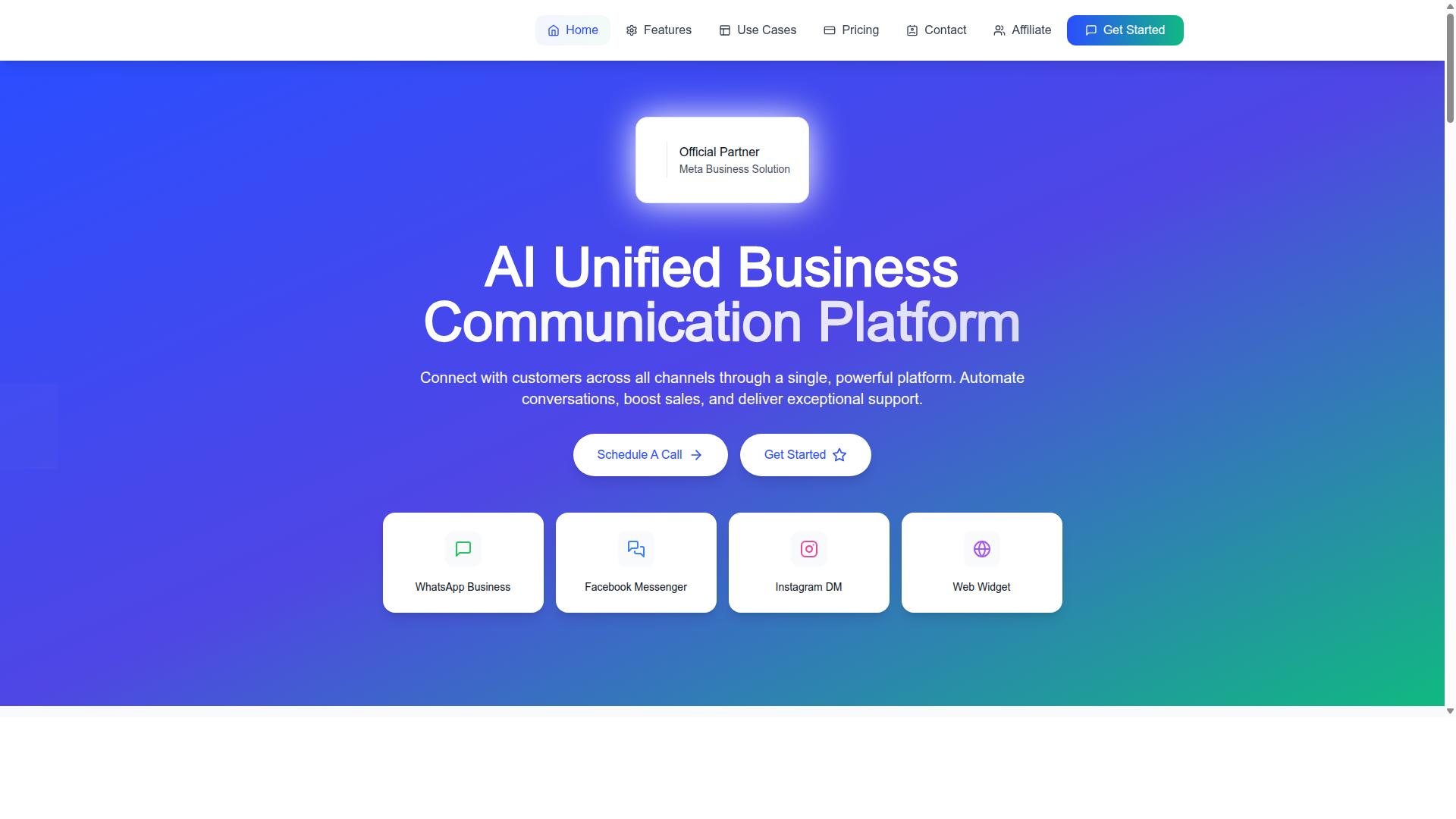
Com.bot integrates native payments into its unified business communication platform, offering a range of plans and features to support global transactions. The platform connects WhatsApp Business, Facebook Messenger, Instagram DM, and Web Widget through a single system, so payment conversations stay inside the same thread as support and sales chats.
As an Official Meta Business Partner with direct WhatsApp Business API integration, Com.bot builds on infrastructure that businesses already trust for messaging. That partnership matters for native payments because WhatsApp Pay and in-app checkout depend on Meta's own rails, and an approved provider can configure them without workarounds.
For teams weighing platform selection, this means payment gateway integration and conversational commerce sit in one place rather than across disconnected tools. The sections below break down what each plan includes and how coverage scales across regions.
Plans, Add-Ons, and Global Coverage
Com.bot offers three pricing tiers, Silver, Gold, and Platinum, with add-ons for additional team members and channels, and serves customers in over 50 countries. Each tier includes native payments capabilities, so the choice comes down to expected transaction volume and team size rather than feature gating.
| Plan | Price | Best For |
|---|---|---|
| Silver | $149 per quarter | Small teams testing conversational commerce |
| Gold (Recommended) | $349 per quarter | Growing businesses with steady order flow |
| Platinum V1 | $2500 per quarter | High-volume operations needing scale |
Add-ons cost $10 per month for each additional team member, social channel, or external actions per 5000. Bot triggers per 25000 and an ecom store are also available as add-ons. WhatsApp messaging itself is billed at actual Meta rates with no markup, which keeps transaction fees predictable as volume grows.
Scale is worth checking before committing. Com.bot reports 23,000+ active customers and processes 25M+ messages per day, signals that matter when evaluating uptime and latency for payment flows. For multi-currency support and settlement across markets like India or Brazil, confirm coverage during onboarding.
A practical approach: estimate monthly order volume, map it to the tier that fits, then add only the seats and channels you need. Com.bot also offers an affiliate program, and cancellation, privacy, and terms of service policies are available for review before purchase.
Checklist: Questions to Ask Before Committing to a Platform
Before committing to a native payments platform, ask these critical questions to ensure it meets your business needs and compliance requirements. A WhatsApp Business API provider sits at the center of your payment flow, so the answers you get here shape everything from checkout success to settlement speed.
Use the checklist below as a comparison framework when evaluating any API provider, including Com.bot. Ask each question directly and request written answers, because vague verbal assurances rarely hold up when a payment fails or a dispute lands.
- Are you an official Meta Business Partner? Partner status signals that the provider works within Meta's guidelines for business messaging and WhatsApp Pay. It also affects how quickly you get access to new payment features.
- Which payment methods and countries do you support? Confirm coverage for the methods your customers actually use, such as UPI in India, Brazil PIX, and major card networks. If you sell across borders, ask about multi-currency support and local payment rails.
- What are your transaction fees and conversation markups? Request a full breakdown, not a headline rate. Some platforms charge per conversation, others add a markup on top of Meta's own pricing, and some do both.
- How do you handle security and PCI DSS compliance? Payment data must be protected with end-to-end encryption and handled under PCI DSS compliance rules. Ask where card data is stored and which party holds the compliance burden.
- What integrations do you offer with ecommerce and CRM systems? Your payment gateway integration needs to talk to your storefront, helpdesk, and CRM. Missing connectors often mean manual workarounds later.
- What is your uptime and latency? Checkout inside a chat window is unforgiving. Slow responses or downtime during peak hours directly hurt conversion rate, so ask for historical reliability data.
- How does onboarding work and what support is available? Ask about setup steps, template approval, and who answers when something breaks. Confirm the support hours and channels in writing.
- Can you handle subscription billing and recurring payments? If you sell memberships or plans, recurring payments require different infrastructure than one-time payment links. Make sure the platform supports the model you need.
- What is your settlement time and chargeback policy? Faster settlement improves cash flow. A clear chargeback handling and refunds process protects you when disputes arise.
- Are there add-on costs for extra team members or channels? Seat-based and channel-based pricing can quietly inflate your bill as you scale. Ask for the cost at two or three times your current size.
Work through this list with every shortlisted vendor and score the answers side by side. The goal is not to find the cheapest option but the one whose fees, coverage, security posture, and support match how you actually sell.
Com.bot offers a personalized consultation for businesses weighing their options. You can reach the team at [email protected] or call +91 080 6987 1810, Monday through Friday, 9:00 AM to 6:00 PM IST. WhatsApp support is also available, and the head office is at 501, Trinity Orion, Vesu Main Road, Surat - 395010, IN.
Bring your checklist to that conversation. Specific questions get specific answers, and that is the fastest route to a platform decision you will not regret once live traffic starts flowing through your payment links.
Recommended Resources: