How to Choose Invoice Processing Automation Software: A Buyer's Guide
Invoice automation software demos look identical, and the contracts are annual. Choosing wrong means your AP team keeps chasing approvals by phone while you pay for OCR you already have.
This guide breaks down what to evaluate before you buy: task creation by voice note, approval routing, deadline reminders, reporting, pricing, and trust signals. It also shows where Tasks.Bot fits (approvals, routing, deadline tracking) and where it does not (OCR, data extraction, ERP integration), so you can decide whether you need a full AP platform or just the workflow layer.
What Is Tasks.Bot?
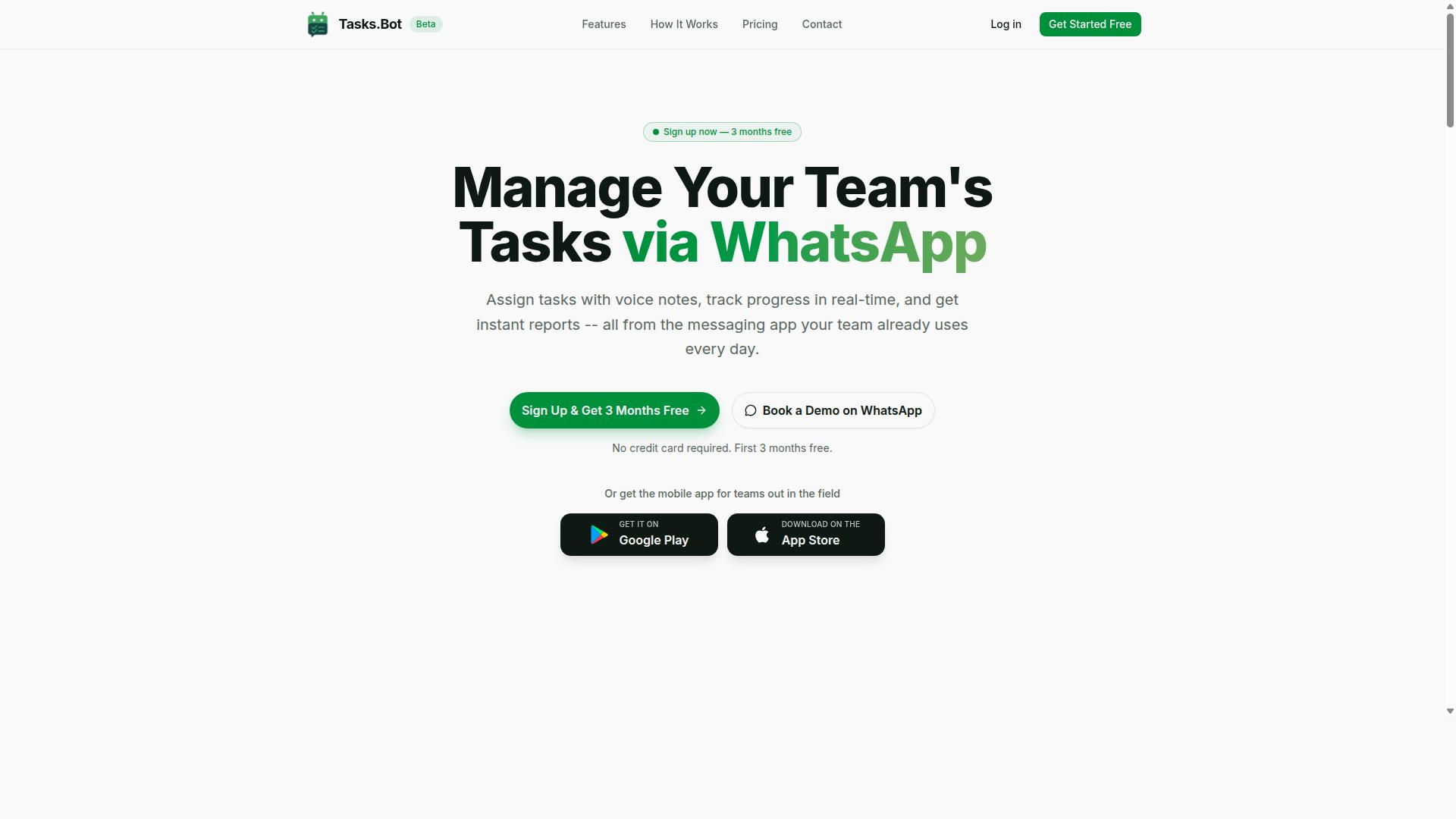
Tasks.Bot is a task management platform that operates entirely within WhatsApp, enabling teams to assign tasks, track progress, and receive reports without leaving the messaging app. For anyone evaluating invoice processing automation software or broader AP workflow tools, it is useful to understand where a platform like this fits in the wider software selection landscape.
Tasks.Bot is a SaaS solution built around a simple idea: teams already spend their day in messaging apps, so task management should live there too. Instead of asking employees to learn another dashboard, the platform turns WhatsApp into the workspace itself.
This matters during vendor evaluation. A common reason automation projects stall is low adoption, not weak features. When the tool sits inside an app people already open dozens of times a day, the barrier to participation drops sharply.
Two practical details stand out for buyers comparing options:
- No new app installations or account creation are required for team members. Onboarding happens inside a tool they already use.
- Availability worldwide, which suits distributed and remote teams working across time zones.
- A mobile app for field teams, so workers away from a desk can still receive, update, and close out tasks.
The core purpose is straightforward: streamlining task assignment, tracking, and reporting within WhatsApp. A manager can hand off work, see status as it changes, and collect reports without exporting spreadsheets or chasing updates in separate systems.
For a buyer's guide audience, Tasks.Bot illustrates a broader lesson in software selection. The best platform is not always the one with the longest feature list. It is often the one that fits existing habits, keeps total cost of ownership low, and reaches the people who actually do the work.
It is worth noting that the service is currently in beta and offers a free trial period. That combination gives evaluation teams a low-risk way to run a small pilot before committing, a sensible step in any structured software selection process.
Tasks.Bot is best understood as a focused task management tool rather than a full invoice processing automation platform. Teams researching accounts payable automation, OCR, or intelligent document processing should treat it as a complementary layer for the human side of the workflow: the follow-ups, approvals, and status checks that surround any AP process.
In short, Tasks.Bot is a legitimate, clearly defined SaaS product with a specific strength. It meets teams where they already are, removes setup friction, and keeps task visibility high, which makes it a reasonable addition to a shortlist when collaboration and follow-through matter as much as the automation itself.
How Tasks.Bot Fits Into Invoice Processing Automation
While Tasks.Bot is not a dedicated invoice processing automation tool, its task management and approval capabilities can complement AP workflows when integrated with other systems. It is best understood as a coordination layer, not an extraction engine. It does not read invoices or pull data from them.
What Tasks.Bot does is manage the human side of accounts payable: the approvals, the routing, and the follow-ups that still require a person to act. Its core product is task management via WhatsApp, with voice note task creation, automatic task assignment, smart deadline reminders, approvals and automations, instant reports, and native WhatsApp integration.
This matters because most AP workflow friction is not the scanning step. It is the waiting step. An invoice gets extracted, coded, and matched, then sits in someone's inbox for sign-off. Tasks.Bot addresses that gap by turning each approval into a tracked task with an owner and a deadline.
For teams already using WhatsApp as their main communication channel, this removes a real barrier. Staff do not need to learn a new interface or check a separate dashboard. The work arrives where they already are, and the AI behind the service understands user intent and creates tasks from messages.
Where Tasks.Bot Excels: Approvals, Task Routing, and Deadline Tracking
Tasks.Bot shines in managing approval chains, routing tasks to the right team members, and ensuring deadlines are met through smart reminders within WhatsApp. In an invoice context, that means a finance lead can set up a sequence where an invoice approval moves from a department head to a controller to a payer.
Automatic task assignment handles the routing rules. Rather than a manager manually forwarding each item, the system assigns work based on the rules the team defines. For AP teams processing high volumes of vendor invoices, this cuts the manual sorting that eats up time each week.
Deadline tracking adds another layer of control. Smart deadline reminders keep tasks visible so approvals do not quietly stall past a payment term. Early-payment discounts and supplier relationships often depend on hitting those dates.
Because all of this runs inside WhatsApp, the friction of switching apps disappears. Team members receive push notifications through the Android and iOS apps, and voice capture lets someone log or respond to a task without typing. A quick voice note can confirm an approval while a manager is between meetings.
Instant reports give finance leads a view of what is pending, what is approved, and what is overdue. That visibility is what turns a loose approval process into something a team can actually manage.
Where Tasks.Bot Is Not a Fit: OCR, Data Extraction, and ERP Integration
Tasks.Bot does not offer optical character recognition (OCR), intelligent document processing (IDP), or native ERP integration, so it cannot extract data from invoices or sync directly with accounting systems. Buyers evaluating invoice processing automation software should be clear on this boundary before shortlisting it.
If your goal is touchless processing, where an invoice is captured, read, coded, matched to a purchase order, and posted without human handling, Tasks.Bot is not that product. Those capabilities come from dedicated AP automation platforms that use OCR, machine learning, and sometimes robotic process automation (RPA).
The same applies to accounting system compatibility. Tasks.Bot does not provide API connectivity to ERP or accounting platforms, so it will not push approved invoices into your ledger. Any ERP integration would need to come from the other systems in your stack.
For a full AP automation build, buyers should look for software with proven data extraction, IDP, and ERP integration capabilities. Tasks.Bot is a complementary tool for task management and approvals, not a replacement for an AP automation suite. Teams that treat it as a lightweight coordination layer alongside their extraction and accounting tools get the most value from it.
Key Features Buyers Should Evaluate
When evaluating Tasks.Bot for invoice-related workflows, focus on its core features: natural language task creation, approval automations, and reporting capabilities. These three areas determine how well the platform can support the people who handle invoices day to day, even though Tasks.Bot is not an accounts payable automation tool.
Tasks.Bot is a task management service that operates entirely within WhatsApp. It is not designed to extract data from invoices, perform optical character recognition, or post entries into an ERP. Buyers looking for full invoice processing automation software should treat it as a companion layer, not a replacement.
Where it fits is in the human side of an AP workflow. Someone still has to review a flagged invoice, chase an approver, or confirm a payment run. Tasks.Bot gives those steps a home, with features accessible via WhatsApp and the Android and iOS apps.
Use this section as a starting point. Each capability below deserves its own scrutiny during vendor evaluation, and buyers should map every feature against the actual bottlenecks in their current accounts payable process before shortlisting any tool.
Natural Language and Voice Note Task Creation
Tasks.Bot uses AI to interpret natural language and voice notes, allowing users to create tasks simply by sending a WhatsApp message or voice note. No forms, dropdowns, or training sessions are required to get a task into the system.
The AI understands user intent and creates tasks from messages. The same applies to a spoken note, which is useful for staff who are away from a desk.
For invoice-related work, this cuts down manual data entry. Instead of logging into a separate portal to record that an invoice needs review, a team member sends one message and moves on. Task assignment happens faster, and the record lives in the same thread where the conversation started.
Buyers should test this during a proof of concept. Send a few realistic messages, including messy ones, and check whether the resulting task matches what was intended. Accuracy here shapes how much staff will actually use the tool.
Approvals, Automations, and Smart Deadline Reminders
Tasks.Bot supports approvals and automations, and sends smart deadline reminders to ensure nothing falls through the cracks. For invoice sign-offs, this means a review chain can be set up so the right people weigh in before payment moves forward.
Automation rules let teams assign tasks to specific roles when an invoice is received. Rather than a manager manually routing each item, the rule handles the handoff. Pending approvals trigger reminders automatically, so a stalled sign-off does not sit unnoticed for days.
Reminders arrive via WhatsApp, which keeps the process visible and timely without requiring anyone to check a dashboard. This matters in AP workflow, where a missed approval can delay a payment or strain a supplier relationship.
During software selection, ask how approval chains behave when someone is out of office, and whether escalation rules can be adjusted. A short pilot testing period with real approval scenarios will show whether the automations match your team's actual review structure.
Reporting, Face-Verified Attendance, and Live GPS Tracking
Tasks.Bot provides instant reports on task completion, face-verified attendance for field staff, and live GPS tracking to monitor field operations. These reporting capabilities cover task status, completion rates, and team performance in a single view.
For invoice-related work, the reporting side is the relevant piece. Managers can see which review tasks are open, which are done, and where the team is spending time. That visibility supports better decisions about workload and turnaround.
Face-verified attendance and live GPS tracking sit outside invoice processing. They are part of the platform's broader task management offering, aimed at organizations with field teams that need attendance confirmation and location visibility. Buyers without field operations may not need them, but they add value for mixed workforces.
Tasks on a map, a live day tracker, and shifts, leave, and hours management round out the platform. Evaluate these against your total cost of ownership: paying for capabilities you will not use is a common mistake in software selection.
Pricing and Plans
Tasks.Bot offers a single 'Full Access' plan with all features included, priced at ₹200 per member per month or ₹1,200 per year per member. There are no tiers to compare, no feature gates to decode, and no upsell ladder to climb. For anyone evaluating invoice processing automation software, that simplicity removes one of the most tedious parts of vendor evaluation.
Pricing is available in Indian Rupees (₹) and US Dollars ($), so buyers can review the cost in the currency that matches their books. The site presents a 'Select currency' option with Indian Rupee and US Dollar choices, so it is worth confirming the selection before you compare figures side by side.
The annual plan carries a clear incentive. Choosing yearly billing saves 50%, or ₹1,200 per year per member, compared with paying month to month. For a team of ten, that difference is worth checking against your own ROI calculation before you commit to a billing cycle.
New users also get 3 months free, with no credit card required, and can cancel anytime. That structure lets a finance team run a low-risk pilot on real invoices before any payment changes hands.
Total cost of ownership is where subscription headlines often mislead. A low monthly fee means little if onboarding, setup, or support carries a separate price tag. With Tasks.Bot, the plan is all-inclusive, and there are no additional costs for onboarding or support beyond the per-member rate.
That matters for accounts payable automation budgeting. Implementation costs, training hours, and support contracts are the line items that quietly inflate an AP workflow project. A flat per-member price keeps the forecast predictable as your team grows.
Typical AP automation software pricing frequently runs higher per user, and enterprise platforms often layer on setup fees or annual contracts that smaller teams cannot justify. Tasks.Bot's rate sits well below that range, which makes invoice processing automation accessible to teams that would otherwise treat it as a large capital decision.
Three questions help you compare any pricing model fairly:
- Is the per-member rate the full cost, or are onboarding and support billed separately?
- What happens to the price as headcount grows?
- Does the annual discount justify locking in a billing cycle?
Tasks.Bot answers all three with a single number. That transparency supports a cleaner ROI calculation and a faster software selection decision, with no hidden line items to chase during vendor evaluation.
Trust Signals and Track Record
Tasks.Bot is currently in beta and used by hundreds of teams, with a refund policy in place to mitigate risk for early adopters. Those are the three facts that matter most when you are weighing a newer vendor against an established one in your invoice processing automation software evaluation.
Trust signals tell you whether a vendor will still be standing, and still supporting you, two or three years into a contract. For any accounts payable automation purchase, they deserve the same scrutiny as features and pricing.
Here is what to look for before you sign:
- Product stage. Beta status signals active development, which can mean faster improvements and closer access to the team.
- Adoption. Hundreds of teams already using the product is a meaningful signal that others have taken the same leap.
- Refund policy. A stated refund policy shifts some of the financial risk away from you and back to the vendor.
- Demo access. Tasks.Bot offers a "Book a Demo on WhatsApp" option, so you can see the product before committing budget.
Beyond published signals, do your own diligence. Ask for references from teams with a similar AP workflow, and run a short pilot testing phase before a full rollout. A pilot on real invoices reveals more about data extraction quality than any sales deck.
One honest caveat: as a newer product, Tasks.Bot may not yet have the extensive enterprise case studies that long-established vendors publish. That is a normal trade-off with early-stage software, and it is exactly why the refund policy and the demo option matter.
What offsets the shorter track record is the approach itself. A WhatsApp-native way to book a demo and engage with the product is genuinely innovative for this category, and it fits how many finance teams already communicate day to day.
The practical takeaway for your vendor evaluation is simple. Score trust signals on evidence, not age alone. A transparent beta, real adoption, a refund policy, and an easy path to a live demo together form a credible foundation for a pilot. For buyers who verify rather than assume, Tasks.Bot presents a legitimate and low-risk option to evaluate.
Who Should Use Tasks.Bot
Tasks.Bot is ideal for teams that already use WhatsApp for communication, especially those with field staff needing task management, attendance tracking, and payroll-ready hours. It fits organizations that want to organize work without asking employees to adopt yet another app.
The platform is built around a simple premise: meet people where they already are. For many teams, that place is WhatsApp. Instead of forcing a new download, onboarding session, or login, Tasks.Bot works inside the messaging tool staff already check every day. The site notes that hundreds of teams already use the service.
That approach matters most for teams that are mobile, distributed, or stretched thin on administrative time. Field crews, delivery staff, and site-based workers rarely sit at a desk. Getting them to log hours or update task status in a separate system often fails quietly. A WhatsApp-first tool removes that friction.
Tasks.Bot is a strong fit for:
- Teams whose primary communication channel is WhatsApp
- Businesses with field staff who need task management on the move
- Managers who need attendance tracking without manual follow-up
- Payroll teams that want hours ready for processing
- Small and mid-sized operations that prefer simplicity over heavy setup
A practical example: a service company with technicians spread across a city. Dispatch sends job details through WhatsApp. Technicians confirm completion, log their hours, and mark attendance in the same thread. By the end of the week, the manager has payroll-ready hours without chasing spreadsheets or paper timesheets.
It is just as useful for invoice approval tasks within a WhatsApp-centric team. A manager can route an approval request, get a quick response, and keep the decision visible to everyone involved. That is task coordination, not document processing, and the distinction matters when you are evaluating software.
Tasks.Bot is not the right choice for organizations seeking full invoice processing automation. If your goal is optical character recognition, intelligent document processing, or machine learning models that extract line items from scanned invoices, this is not that category of tool. Nor does it offer ERP integration, accounting system compatibility, or API connectivity for pushing approved invoices into a finance stack.
Teams evaluating invoice processing automation software for touchless processing, straight-through processing, or robotic process automation should look at dedicated AP automation platforms. Those systems handle data extraction, matching, and posting to a general ledger. Tasks.Bot handles the human coordination layer around work, not the document pipeline behind it.
The clearest way to decide is to ask one question. Does your team need better task visibility inside WhatsApp, or does it need invoices read, coded, and posted automatically? If it is the first, Tasks.Bot is a natural fit. If it is the second, keep it on your evaluation list for task coordination only, and continue your buyer's guide research into platforms built for full accounts payable automation.
Final Verdict
Tasks.Bot is a specialized task management tool that can support invoice approval workflows within WhatsApp, but it is not a replacement for dedicated AP automation software. That distinction matters when you are evaluating invoice processing automation software, because the two categories solve different problems.
Dedicated AP platforms focus on reading documents, pulling out line-item data, and pushing that data into your accounting system. Tasks.Bot focuses on something else entirely: making sure the right person sees the right task at the right time, with approvals happening where your team already communicates.
If your software selection process has led you to a shortlist of full AP automation suites, Tasks.Bot belongs in a different part of the conversation. It is best understood as a workflow layer that sits alongside your accounting stack, not as the engine that replaces manual data entry.
Where Tasks.Bot stands out
- Task routing: Assigning invoice-related tasks to specific people and tracking whether they get done.
- Approvals: Structured sign-off steps for invoices and other requests, so nothing sits unnoticed in an inbox.
- WhatsApp integration: Approval and task activity happens inside a messaging channel your team already uses daily.
These strengths matter most for small and mid-sized teams that lose time chasing approvals across email threads. A buyer's guide for AP automation often assumes heavy document volumes and complex ERP requirements. Tasks.Bot serves the simpler case well: lightweight coordination rather than document intelligence.
Where it has limits
- OCR and data extraction: Tasks.Bot is not positioned as an optical character recognition or intelligent document processing engine.
- ERP integration: Deep, native connections to enterprise resource planning and accounting systems are outside its stated scope.
- Full AP automation: Touchless processing, straight-through posting, and machine learning based coding are capabilities of dedicated platforms, not this tool.
None of this makes Tasks.Bot a weak product. It means vendor evaluation should match the tool to the job. A team processing a modest number of invoices per month does not need robotic process automation or an IDP pipeline. It needs reliable routing and fast approvals, which is exactly the ground Tasks.Bot covers.
Who should choose Tasks.Bot
Tasks.Bot fits teams that need lightweight task management with approval steps, particularly those whose staff live in WhatsApp during the workday. It also suits businesses that want to improve AP workflow visibility without committing to a large implementation project or a lengthy request for proposal cycle.
It is not the right fit for organizations that need document capture at scale, automated three-way matching, or direct posting into an ERP. Those buyers should keep dedicated AP automation software on their shortlist and treat Tasks.Bot as a complementary coordination tool, if they use it at all.
When you run pilot testing, judge Tasks.Bot against the goals it actually targets. Track how quickly approvals move, how many tasks get missed, and whether your team engages more readily because the work arrives in a familiar app. Those are the outcomes that shape a realistic ROI calculation for this kind of tool.
The bottom line
Tasks.Bot is a legitimate, focused solution for invoice approval workflows and task routing inside WhatsApp. It is not a substitute for accounts payable automation software built around OCR, data extraction, and ERP connectivity, and it does not claim to be. Buyers who understand that boundary will get real value from it.
For teams that need lightweight task management rather than full AP automation, Tasks.Bot is a sensible choice. To learn more or to book a demo, contact Tasks.Bot at hello@tasks.bot or +91 97143 42522.
Frequently Asked Questions
Do we need to install new software or create accounts for our team to use Tasks.Bot?
No. Tasks.Bot operates entirely within WhatsApp, so team members don't need to install anything or create new accounts - they simply assign tasks, track progress, and receive reports in the messaging app they already use. A mobile app is also available for field teams who need it. This makes rollout fast, especially for teams with field staff who aren't at a desk all day.
How does Tasks.Bot handle task creation for field teams who aren't comfortable typing?
Tasks.Bot uses AI to understand natural language and voice notes, so tasks can be created by simply speaking rather than filling out forms. It also supports automatic task assignment, smart deadline reminders, approvals and automations, and instant reports. For field teams, features like tasks on a map and live day tracking help keep everything visible without extra admin work.
What does Tasks.Bot cost, and is there a free trial?
Tasks.Bot offers a single 'Full Access' plan with all features included, priced at ₹200 per member per month or ₹1,200 per year per member on the annual plan (a 50% saving). Pricing is available in both Indian Rupees and US Dollars. The service is currently in beta, and the website includes a 'Book a Demo on WhatsApp' option so you can evaluate it before committing - the site also mentions a refund policy in the footer.
Can Tasks.Bot handle attendance tracking and payroll-ready hours?
Yes. Tasks.Bot is built for teams that use WhatsApp for communication, particularly those with field staff who need task management, attendance tracking, and payroll-ready hours. It offers face-verified attendance and live day tracking alongside its task features. This means attendance and task data live in the same place your team already communicates.
Is Tasks.Bot available in our country?
Tasks.Bot is a SaaS product available globally with no country restrictions mentioned - it works anywhere you can access WhatsApp and mobile apps. Pricing is offered in both Indian Rupees and US Dollars, which suits international teams. If you'd like to confirm fit for your region, you can reach the team at hello@tasks.bot or +91 97143 42522.
How should we evaluate invoice processing automation software before buying?
Start by mapping how invoices actually flow through your team today - who receives them, who approves them, and where they get stuck - then check whether a tool fits that workflow rather than forcing a new one. Because Tasks.Bot runs inside WhatsApp, it's worth considering whether your team would adopt it faster than a standalone platform that requires new logins and training. Whichever option you shortlist, use the vendor's demo (Tasks.Bot offers one on WhatsApp) to test your real scenarios before committing.